
Appointments
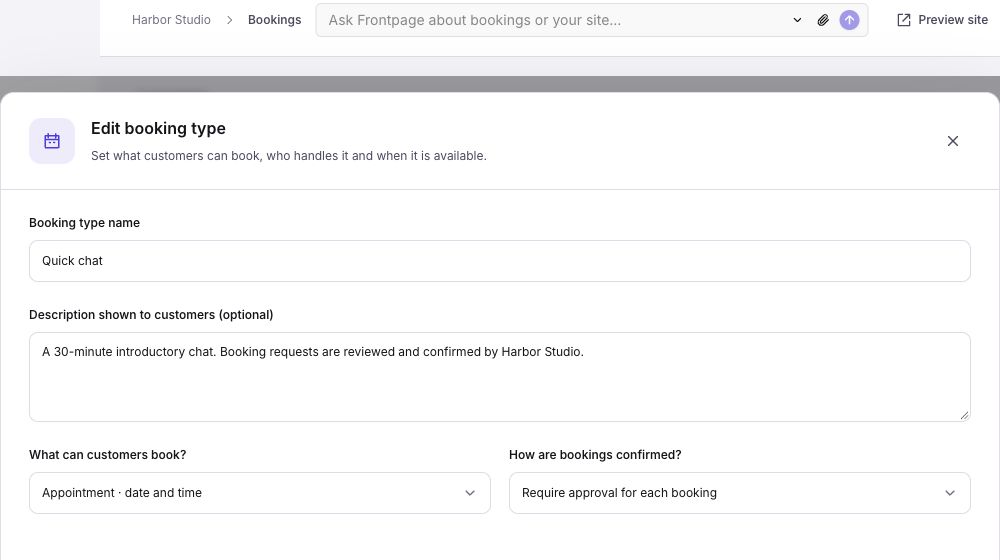
A 30-minute consultation or a 90-minute visit. Set the length, start times, and preparation or travel time.
Feature · Bookings
Appointments, rooms, and stays. Show available times and keep bookings in one calendar.
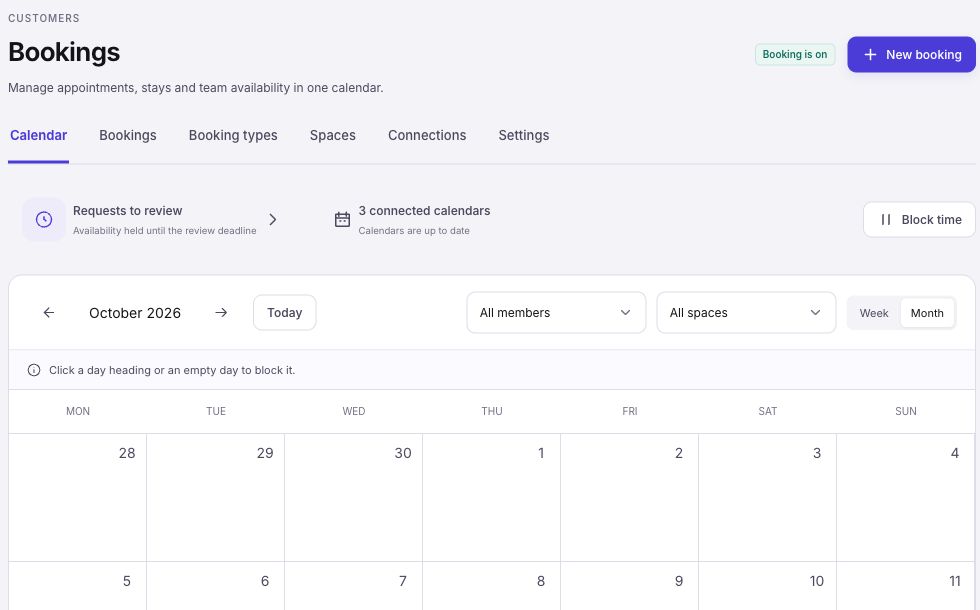
Your calendar
Check appointments, stays, pending requests, and blocked time. Filter by team member or space, then open a booking for its details.
Block a day off, a lunch break, or time for cleaning. Add a repeating closure when the same time is unavailable each week.
A 30-minute consultation or a 90-minute visit. Set the length, start times, and preparation or travel time.
Let guests choose arrival and departure dates. Set the shortest and longest stay, check-in, and checkout.
Ask what the customer needs before they arrive. Each booking type has its own form and confirmation policy.
People and places
Add rooms, properties, or locations in Spaces. Choose the spaces and team members a booking needs.
When an appointment needs both a person and a room, both must be free. Each booking reserves one available space from the type’s selection.
Reserved with the appointment.
Your decision
Choose automatic confirmation for a simple consultation. Require approval when you need to check a request first.
Customers review their details and verify their email. A request is clearly marked as pending until you accept it.
Calendar connections
Use Frontpage’s calendar on its own. Connect Google Calendar to check outside busy times and add confirmed bookings to your chosen calendar.
Other team members see busy time, not private event titles. Calendar-link imports bring in busy dates without sending bookings back.
Your member and space are both available.
Wednesday · 11:00 AMYes. Each booking type can require your approval or confirm automatically. Pending requests hold their assigned availability until you accept, decline, or the approval deadline expires.
Yes. Add a space for a room, property, or location. Appointments use a date and time. Stays use arrival and departure dates, with check-in and checkout times.
No. Frontpage has its own availability and calendar. Google Calendar can add outside busy times and receive confirmed bookings. A calendar-link import only brings busy times into Frontpage.
Bookings does not collect payment or deposits. Frontpage Payments is a separate feature. A payment does not confirm a booking.
Bookings is included on Starter, Growth, Scale and Enterprise. Open Customers → Bookings to set it up. Google Calendar and iCal links are available; Outlook setup is not available yet.