
Guides
How to use Frontpage.
Product announcements, step-by-step guides, and practical advice for your website. See what is new, learn how it works, and find your next step.
Latest announcements
Announcements

Site preferences: Keep your website settings up to date
Manage how a Frontpage site builds, who can open its Frontpage address, and which usage alerts reach your inbox.
Read
Your Frontpage workspace: Manage your website and business in one place
Use the Frontpage workspace to find your pages, check customer enquiries, and manage settings for the website you select.
Read
MCP Server: Manage Frontpage from your AI tools
Use a supported AI tool to work on your Frontpage website and approved business tasks through the hosted MCP Server.
Read
Rewind: Restore an earlier website version
Use Rewind to bring back an earlier saved website version, review it in the editor, and choose when to publish it.
Read
Modules: Add forms, signups, and other website tools
Give visitors a way to send an enquiry, subscribe, or contact you from the page they’re already reading.
Read
Extensions: Add useful visuals and interactions to your pages
Use charts, maps, and galleries to give visitors information they can act on.
Read
Printify: Sell products from your connected shop
Sell eligible items from an existing Printify shop through your Frontpage Store.
Read
CRM connections: Send a copy of each form enquiry to your CRM
Keep enquiries in Frontpage and send a copy from selected forms to the CRM your team already uses.
Read
Team and access: Work together with clear permissions
Give each teammate access to the website they work on and choose what they can do there.
Read
Usage and plan: See your allowances and choose the right plan
See your site's plan and usage in one place, and check what will change before switching plans.
Read
Frontpage CLI and API: Manage your website from your tools
Work on your Frontpage site from a terminal or an integration, then review website changes on staging before they go live.
Read
Website rebuild: Move your existing website to Frontpage
Give Frontpage your current website address to start a new version. Review the preview before you move your domain.
Read
Canvas: Edit your website while you view it
Change a heading, replace a photo, or add a page while you review your website in Canvas.
Read
Brand and styles: Keep your website consistent
Set your logo, colors, and fonts in Brand & styles, then review how pages that use those settings look together.
Read
Articles and blog: Publish helpful content on your website
Give useful answers a home on your own site with a blog, a help center, or a collection of guides.
Read
Analytics: See what visitors do on your website
Use Frontpage Analytics to see which pages people visit, how they arrive, and which tracked actions they take.
Read
Google reviews: Show customer feedback on your website
Show feedback from the right Google business listing and share a link customers can use to leave their own review.
Read
Growth Advisor: Review website improvements before you apply them
Read a suggested website change, decide whether to use it, and review the ready result before publishing.
Read
Autopilot: Automatically improve your website
Choose a goal and let Autopilot test eligible website improvements, then review the activity to see what happened.
Read
SEO Tools: Set up the details search engines read
Give public pages clear titles and descriptions, and control how they appear when someone shares a link.
Read
Website Audit: Find practical ways to improve a website
Check a public website for practical issues, see which pages were covered, and decide what to fix first.
Read
Hosting and publishing: Put your website live without a separate host
Review your website in preview, then publish the ready version with Frontpage hosting and HTTPS.
Read
Domains: Use your business web address with Frontpage
Put your website on a business address you already own, or get a new address when you are ready.
Read
Invoices and recurring billing: Collect one-time and repeat payments
Bill customers for one-time work or repeat services in Frontpage. Compare emailed invoices with customer-approved Stripe autopay.
Read
Mailing list: Let visitors subscribe to your updates
Add a mailing list signup form to a Frontpage website. See where subscribers joined, choose a confirmation email, and prepare a later update.
Read
Tap-to-call: Help mobile visitors call your business
Add a mobile contact bar with Call, Text, or both. Show your business number and see contact taps in Frontpage Analytics.
Read
Routines: Schedule repeat work for your website agent
Schedule repeat Frontpage Agent tasks for website reviews and regular reports. Check runs, pause the schedule, and manage AI usage.
Read
Frontpage Agent: Ask for website changes in plain language
Ask the Frontpage Agent about your site, plan a focused improvement, or build a website edit. Review changes before they go live.
Read
Contact forms: Turn website enquiries into saved leads
Add a quote request form, keep enquiries in your Frontpage inbox, and notify the right person when someone writes in.
Read
Payments: Let customers pay your business online
Add a Pay now button for a service, send customers to Stripe checkout, and find the completed payment in Frontpage.
Read
Store: Sell products on your website
Show products with photos, offer sizes or colors, track stock, and give customers a clear checkout. Manage products and orders beside your website.
Read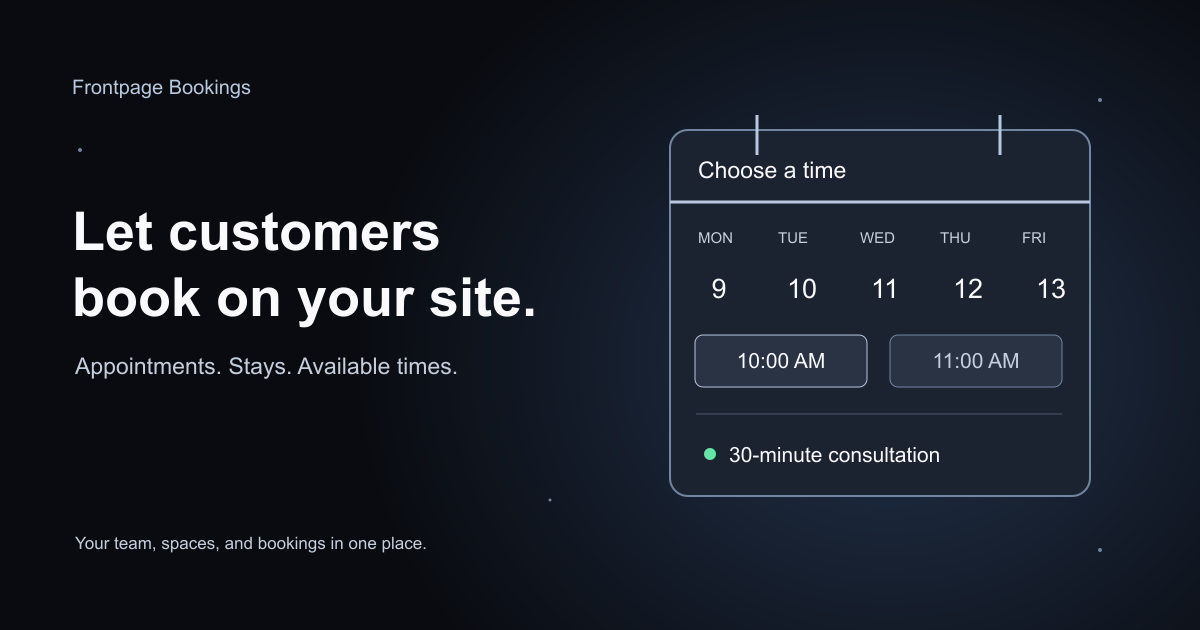
Introducing Bookings
Let customers choose a time, reserve a space, or request a stay. Manage team hours, customer questions, approvals, and bookings in Frontpage.
Read
People CRM: Keep customer details and follow-up in one place
Find customer details, read earlier enquiries, save private notes, and track the next follow-up. See how Frontpage People CRM helps your team manage customer relationships.
Read
Email campaigns: Send updates to your customers
Turn a sale, new product, or business update into a branded email campaign. Choose recipients, save your work, send a test, and review delivery in Frontpage.
Read
Introducing AI Support Agent
Meet your agent for email and chat. Helpful answers, growing business knowledge, and private customer notes.
ReadUsing Frontpage

How to manage site preferences
Check your site details, choose the model for its next build, and manage usage alerts from Site preferences.
Read
How to connect an external AI agent to Frontpage
Connect a supported AI tool to an existing Frontpage site, choose the access it needs, and check the connection with a read-only task.
Read
How to add charts, maps, and other Extensions
Ask the Agent to add a chart, location map, or photo gallery, then test the result before publishing.
Read
How to send form enquiries to your CRM
Send a copy of new enquiries from a chosen Frontpage form to HubSpot, Pipedrive, or Privyr.
Read
How to send form enquiries to HubSpot
Connect HubSpot to one Frontpage form and verify that a new enquiry creates a contact.
Read
How to send form enquiries to Pipedrive
Connect Pipedrive to a Frontpage form and verify the new person and linked lead after a test enquiry.
Read
How to send form enquiries to Privyr
Send a copy of a Frontpage form enquiry to Privyr using the account’s Incoming Webhook URL.
Read
How to manage your Frontpage account settings
Update the name and business phone on your Frontpage account, and check the email used to sign in.
Read
How to manage your plan and AI usage
See your current plan, check what your site has used, and review a plan change before you confirm it.
Read
How to use the Frontpage CLI
Install the Frontpage CLI, connect it to a site, and review a file change on staging before you publish.
Read
How to add and manage website photos
Attach a photo in Canvas, ask the Agent to place it, and check that it looks right and has useful alternative text.
Read
How to manage your website SEO
Set a page’s search title and description, check its visibility, and verify the published result.
Read
How to run a website audit
Run a Frontpage Website Audit on a public address, read the findings, and choose one practical improvement.
Read
How to use private customer notes in AI Support Agent
Set read and write access for AI Support Agent customer notes. Check customer verification, find saved notes in People CRM, and keep business knowledge separate.
Read
How to send invoices and set up recurring billing
Create a Frontpage invoice, schedule repeat Stripe invoices or request autopay, check payment status, and cancel future billing.
Read
How to collect and manage mailing list signups
Add a newsletter signup form to a Frontpage site, review subscriber records, set optional confirmation email, and handle campaign permissions.
Read
How to add a tap-to-call bar
Set up the Frontpage Tap-to-call bar, add it to the site when needed, test Call and Text on a phone, and turn it off without losing settings.
Read
How to work with the Frontpage Agent
Use the Frontpage Agent to ask about a page, plan a change, build a website draft, review the preview, and publish when ready.
Read
How to give your AI Support Agent help or take over a conversation
Give AI Support Agent private guidance, save an internal note, send a customer reply yourself, and return the conversation to the agent.
Read
How to manage sender settings, delivery status, and suppressions
Set the sender name and reply address, check why an email was queued or skipped, and manage addresses blocked from marketing email.
Read
How to create and reuse email templates
Create a reusable email, set its subject and preview text, test it, and use it in campaigns or series. Learn how shared template edits save.
Read
How to review Growth Advisor suggestions
Read a suggestion, supply needed facts, and choose whether the Agent should make the change. Check the finished website draft before publishing.
Read How to set up bookings on your website
Set your hours, add spaces, create a booking type, connect an available Google or Microsoft calendar, and publish your customer booking form.
Read
How to import people from a CSV file
Upload a customer CSV to People CRM, match columns, fix row errors, and check email permission before importing. Learn how duplicates and existing records are handled.
Read
How to publish articles on your website
Create an article section, write and save an article, add a featured image, and check its search details. Review the website preview before publishing it live.
Read
How to invite your team and set permissions
Invite teammates to a Frontpage site, choose viewer, editor, or admin access, and manage pending invitations. Check roles, available seats, and saved access changes.
Read
How to accept payments on your website
Connect Stripe in Frontpage, save a payment offering, add its Pay now button, and check payment records. Learn what saving, publishing, and payment readiness mean.
Read
How to read your website analytics
Read visitors, sessions, pageviews, traffic sources, and page activity in Frontpage Analytics. Compare consistent date ranges and choose a practical website improvement.
Read
How to set your website brand and styles
Set your business name and logo, edit shared website colors and fonts, and review the result before publishing. Understand which brand changes affect emails or website pages.
Read How to add knowledge and enable automatic learning
Give AI Support Agent reliable business facts, enable learning from private team guidance and approved webpages, and protect policies with knowledge locks.
Read
How to schedule a routine
Create a Frontpage routine with a clear prompt, schedule, and time zone. Check a run, understand its status, and pause or edit future scheduled tasks.
Read
How to review and restore website history
Use Frontpage History to find an earlier website version, restore your working copy, review the result, and publish when ready. Customer records stay separate.
Read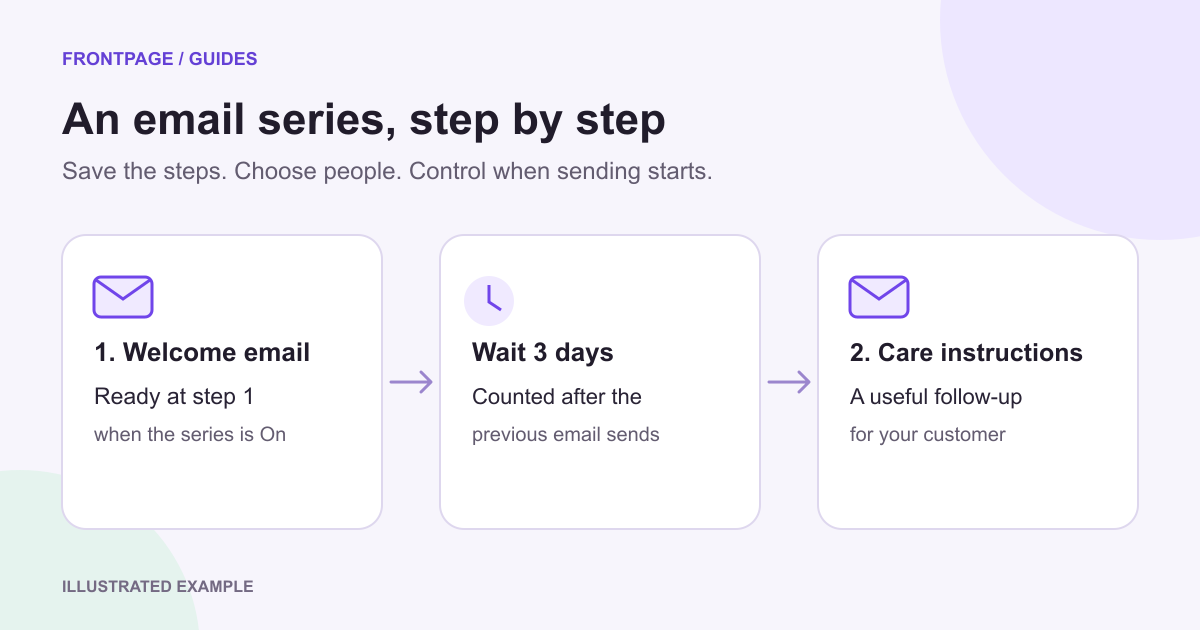
How to create an email series and add people
Create a Frontpage email series, set waits in days, save templates and steps, enroll people, and understand what happens when sending is off.
Read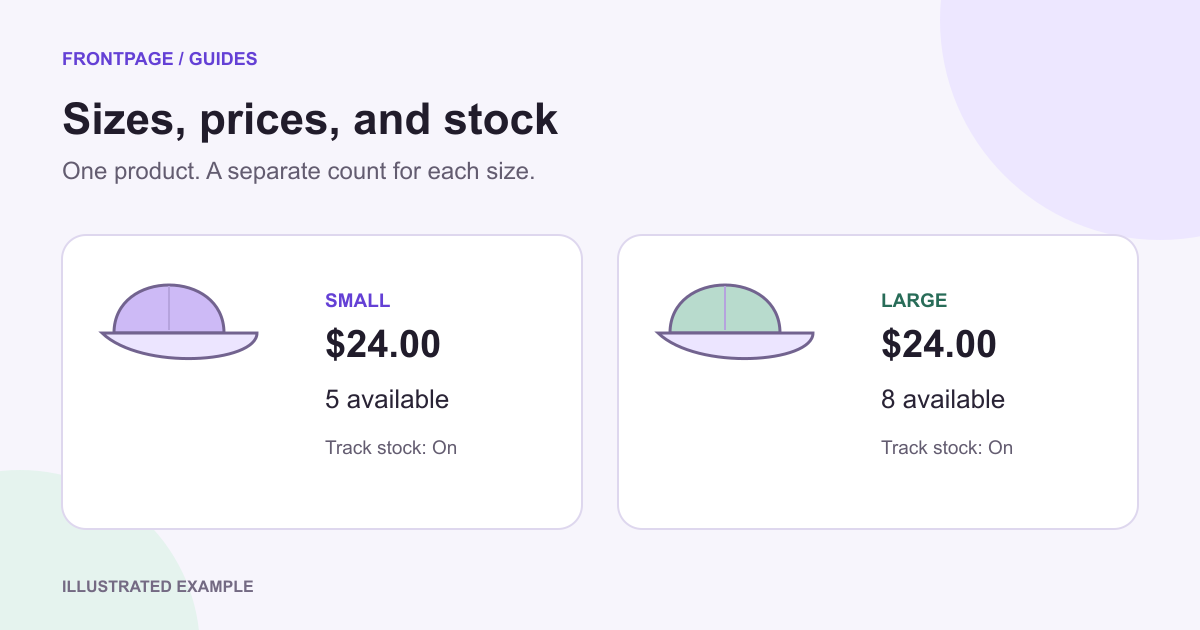
How to manage product variants and stock
Add sizes or colors to a Frontpage Store product, set a price and stock count for each variant, and check saved options and sold-out behavior.
Read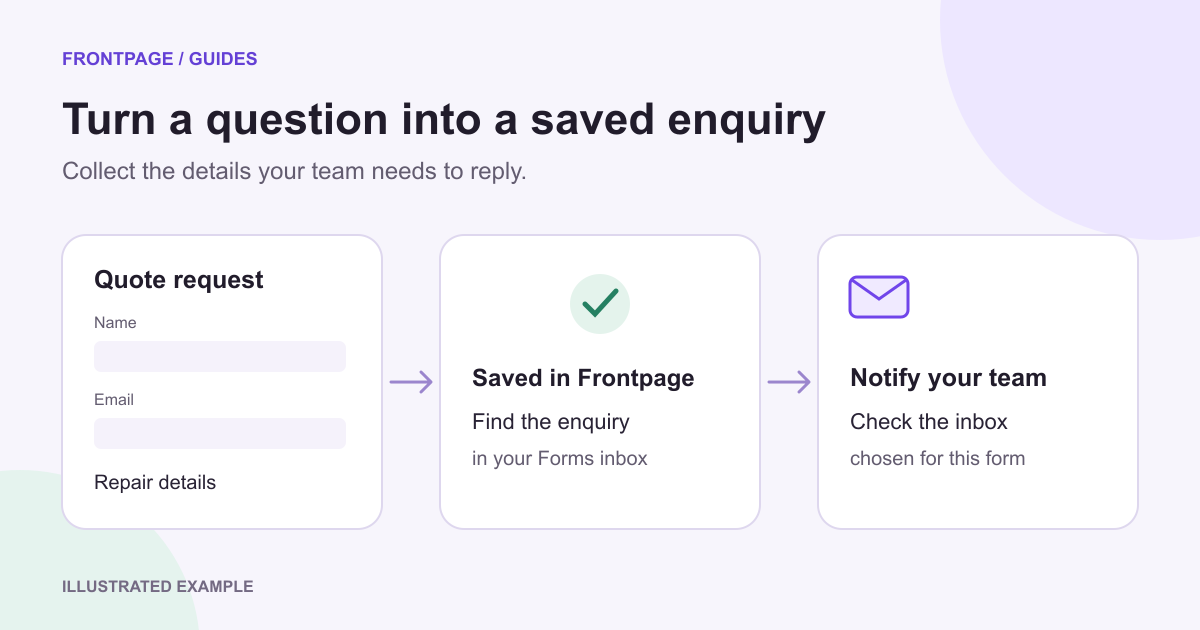
How to collect enquiries with a contact form
Add a contact or quote form to your Frontpage website, choose where notifications go, set an optional confirmation, and find saved enquiries.
Read
How to send an email campaign
Create a campaign, choose people or a group, save your recipients, send a test, and review delivery in Frontpage Emails.
Read
How to manage customers in People CRM
Add and find customers in Frontpage People CRM, save contact details and notes, manage groups and stages, and check marketing email permission.
Read
How to add products to your Frontpage store
Add a product to Frontpage Store with a name, description, photos, price, variants, and stock. Save it and check the customer purchase path.
Read How to use AI Support Agent
Set up customer support by email and chat, add business knowledge, and keep your team in control.
Read
How to connect your domain
Connect an address you already own, or choose to buy or transfer a domain, then check that it opens your published website.
Read
Make your first edit
Change a headline, photo, or section in your existing Frontpage site, review the draft, and choose when to publish.
Read
Understand drafts and publishing
Learn where your website changes appear, what Publish makes live, and how to keep working after launch.
Read
Connect Printify to Frontpage
Connect an existing Printify shop, review the products in your Frontpage Store, and check how paid orders reach Printify.
Read
How to move your website to Frontpage
Start a Frontpage rebuild from your current website address. Check the new site, reconnect the parts your business relies on, and move your domain when you are ready.
Read
How to publish your Frontpage website
Review the ready version, choose Publish, and open your public address to confirm that the right website is live.
Read
How to connect a subdomain without changing your email
Point one address such as go.example.com to Frontpage while keeping the records your business uses for email.
Read
How to add Google reviews to your website
Connect the correct Google listing, choose the reviews to show, and check the review section on your live website.
Read
Connect a subdomain for external tools
Point a branded address like order.yourdomain.com at an outside order, payment, or ticket system, then link to it from your Frontpage site after DNS is set.
Read
How to use Modules
Add a working feature to your site, finish its setup in the workspace, and check what a visitor’s action saves.
Read
How to edit your website with Canvas
Open a page in Canvas, show the Frontpage Agent what you want to change, and review the result before you publish.
Read
How to use Autopilot
Set a goal for Autopilot, choose when to enable automatic testing, and use the activity record to see what happened.
ReadEducation

How to add your booking system to your website
Add a booking button to your Frontpage site so customers can choose a time in the scheduling service you already use.
Read
Building your first website: what every business site needs
A restaurant, a plumber, a photographer, and a nonprofit look nothing alike. Their websites still win or lose on the same handful of fundamentals. Get these right and you are already ahead.
Read
5 reasons your business doesn't rank on Google
Most businesses do not show up on Google for one of five reasons. Frontpage found the same problems on 100 local websites. Check which one applies, then fix that first.
Read
How to rank on Google: a small business guide
Finish the Google listing, get recent reviews, write a page for each service, use the same name and phone everywhere, and make the site easy to use on a phone. The order of work after Frontpage scored 100 shops.
Read What a small-business website needs
A practical checklist from what we saw on 100 local sites: the pages that matter, proof, a real next step, mobile, and local search.
Read
Trust and credibility: the biggest weakness on 100 small-business sites
Trust was the single weakest area we measured across 100 small-business sites: missing guarantees, anonymous reviews, no real faces. Here's every gap, and how to close it.
Read
SEO basics: what we learned looking at 100 small-business websites
We ran a full automated SEO audit of 100 real Kansas City small-business websites. Not one passed every check. Here's exactly where local sites lose ground, and how to fix it.
Read
Accessibility: what we found on 100 small-business sites
We ran an automated accessibility audit on 100 small-business sites. About one in five audits failed: faint text, uncaptioned video, silent buttons, unlabeled forms. Here's every barrier, and how to fix it.
Read
Navigation: tips we learned from auditing 100 small business websites
Navigation was one of the strongest areas we measured across 100 small-business sites, but broken links, missing 404 pages, and footers with no contact details still quietly cost owners customers. Here's every gap, and how to fix it.
Read
Conversion: lessons from auditing 100 small business websites
Conversion, turning visitors into customers, was the second-weakest area we measured across 100 small-business sites. Missing CTAs, daunting forms, no privacy reassurance. Here's every gap, and how to fix it.
Read
Mobile: how to make your site work on phones
Most small-business sites are mostly fine on a phone, but buttons too small to tap fail on three of four. Here's every mobile gap we found across 100 sites, from click-to-call to overflowing images, and how to fix each one.
Read
Performance & Technical Guide for Website Building
Speed, security, and search-readiness were the strongest area we measured across 100 small-business sites, but most still have a few cracks: a heavy image, a missing font setting, a sitemap Google can't find. Here's every one, and how to fix it.
Read
A Visual & Design Guide for Website Building: 13 tips for designing better landing pages
Design was a real strength across 100 small-business sites, 23 were flawless, but fonts, spacing, and consistency quietly leak polish. Here's every gap, from too-faint text to a missing favicon, and how to fix each one.
Read
User Experience: 8 tips for improving your site
Across 100 small-business sites, user experience was split right down the middle: 41 were flawless, the rest had real friction. Slow loads, buried offers, dead ends, vague form errors. Here's every gap, and how to fix it.
ReadRoundups

The 5 best Squarespace alternatives for small business
Find the right Squarespace alternative: Frontpage, Wix, Webflow, Shopify, or WordPress. Compare design, editing, SEO, business tools, pricing, and migration.
Read The 5 best WordPress alternatives for small business
Compare Frontpage, Squarespace, Wix, Webflow, and Shopify: pricing, upkeep, SEO, business tools, and how to leave WordPress without losing important URLs.
Read The best Wix alternatives
The best Wix alternatives in 2026: Squarespace, Frontpage, WordPress, Webflow, and GoDaddy, ranked on ease, design, features, speed, and what you give up.
Read
The 5 Best AI Website Builders
Compare Durable, Frontpage, Hostinger AI, Wix AI and Framer AI using current official sources. See editing workflows, plan conditions and a practical test brief.
Read
The 5 Best Free Website Builders
The best free website builders in 2026, ranked. Wix, Frontpage, WordPress.com, Weebly, and Carrd compared on free plans, limits, and the catch for each plan.
Read
The 5 Best No-Code Website Builders
Compare Wix, Frontpage, Squarespace, Framer, and Jobbit Ltd: five no-code builders for business websites and AI-built apps, with features, pricing, and trade-offs.
Read
The 5 Best Website Builders for Marketers
The best website builders for marketers in 2026, ranked on landing pages, A/B testing, lead capture, and cost. Unbounce, Frontpage, Instapage, HubSpot, Webflow.
Read
The 5 Best Website Builders for SEO
The best website builders for SEO in 2026, ranked on speed, Core Web Vitals, meta, schema, and optimization. WordPress, Frontpage, Webflow, Squarespace, Wix.
Read
The 5 Best Website Builders for Small Business
The best website builders for small business in 2026, ranked on ease, design, booking, local SEO, and price. Wix, Squarespace, Frontpage, GoDaddy, Hostinger.
ReadComparisons

GoDaddy vs Frontpage
Same-day guided setup and one invoice versus building by conversation. Where GoDaddy still wins, and when Frontpage is the better site.
Read
Wix vs Frontpage
Drag-and-drop templates versus building by conversation. How the two builders compare on design, speed, features, SEO, and price.
Read
Squarespace vs Frontpage
Template-led polish versus an agent that builds around your brand. Where each tool wins and how to pick the right one.
Read
WordPress vs Frontpage
A platform you assemble and maintain versus a site that's built and optimized for you. Plugins, upkeep, the true cost of 'free', and who each suits.
Read
Webflow vs Frontpage
The most powerful visual designer versus building by conversation. The learning curve, the design ceiling, and how to choose.
Read
Durable vs Frontpage
AI versus AI. A 30-second generated draft versus an agent that keeps building, refining, and optimizing your site. Speed versus staying power.
Read
Framer vs Frontpage
The design canvas versus the conversation. Motion and craft for designers, versus a polished, on-brand site you never have to design yourself.
ReadNo articles match your search.
Try a different word, or clear the search to browse everything.
Stop reading. Start building.
Build and publish your website on Free. Paid plans start at $19 per month.
Build with Frontpage