
MCP Server: Manage Frontpage from your AI tools
Use a supported AI tool to work on your Frontpage website and approved business tasks through the hosted MCP Server.
Start with a task you can check
Suppose your service hours changed. Ask your connected AI to open the correct site, find the Services page, and update the hours. Ask it to leave the change in preview. Review the page and publish the website version you checked when it is ready.
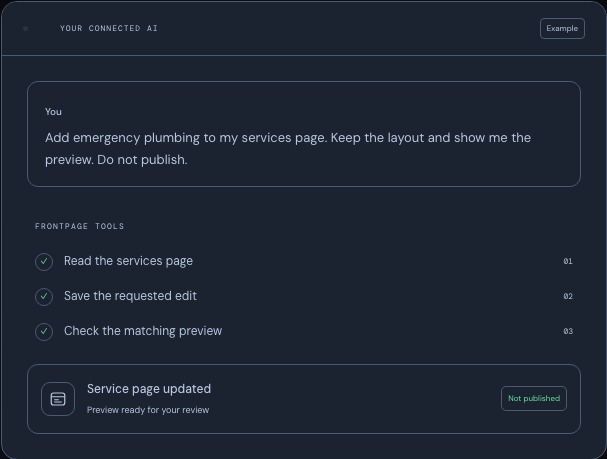
Connect the client you use
Claude supports a custom connector, and Claude Code also has its own setup. ChatGPT and Codex have a published plugin, with a direct setup available for Codex. Grok Build can reuse a Grok account connection in interactive mode. Cursor CLI has a public package and a direct connection. Choose a client and follow its setup guide. The MCP feature page shows the available connection options.

Choose what the connection can do
Select which sites the client can reach and grant the permissions the task needs. Website changes, business data, and People and email access have separate controls. The actions you can use depend on the site, your role, and the client. Review the available tools and access controls before requesting a task involving customer data or publication.
Frequently asked questions
What does the Frontpage MCP Server let me do?
A supported client can read covered sites and carry out supported website or business tasks when you grant the required permissions.
Do I need to switch to a different AI tool?
Use a documented connection for a client you already use, such as Claude, ChatGPT, Codex, interactive Grok Build, or Cursor CLI.
Will connecting an AI tool change my website?
Connecting gives the client the permissions you choose. A website change requires a separate task, and publication requires its own action.
Can I connect a client before creating a Frontpage site?
Create your first site in Frontpage. The hosted connection is for working with sites your Frontpage account already has access to.