
SEO Tools: Set up the details search engines read
Give public pages clear titles and descriptions, and control how they appear when someone shares a link.
A local repair shop wants searchers to understand what its service page covers. It can replace a broad title like “Services” with “Bike Tune-Ups in Austin | Harbor Cycle.” It can also describe what the tune-up includes, so a customer knows what they will get when they open the page.
Give each public page a clear description
Open Search & sharing for a page. Review its title and description, then look at the Google result preview. Use the service name and any relevant location. Write a separate description for each page that answers a different question. Set up titles and descriptions in Frontpage when you are ready.
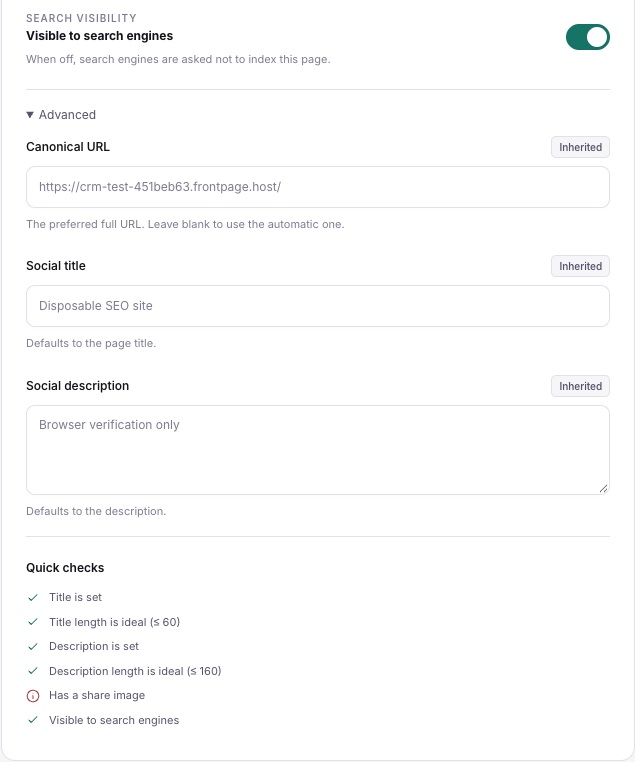
Check what you want people to find
Review Search visibility for the pages you expect people to discover. Check the preferred URL if you have several addresses for the same content. Then read the page itself. A clear title helps people decide what to open, and useful headings and links help them once they get there. Review the search basics for small businesses.
Save and check the public result
Review the ready website and publish it. Open the public address and check the title and link preview. If you have a verified Google Search Console property, you can check indexing there after publication. Understand which version of your website is public before troubleshooting a result that still shows old details.
Frequently asked questions
Can I change the title without changing the page address?
Yes. Update the search title for the existing page and keep the address as it is.
Can I choose the image used when a link is shared?
Use Share image where available and review the social preview. Sharing services can cache earlier previews.
Does the Google result preview guarantee what Google will show?
No. It previews the information you set. Google can choose its own title or snippet.
Will changing my title move the page to the top of search?
Search placement depends on many factors. A specific title helps describe the page to readers and search engines.