
Growth Advisor: Review website improvements before you apply them
Read a suggested website change, decide whether to use it, and review the ready result before publishing.
A trades business wants more customers to find its quote form. Growth Advisor might suggest a clearer link from its main service page. The owner can read what the suggestion would change and decide whether that fits the way the business handles enquiries.
Read the suggestion and its reason
Open Growth Advisor and choose a suggestion in Active. Check the page it refers to, the proposed change, and the reason. If you need to see the underlying visitor activity, look at the relevant page and goal in Analytics. A suggestion gives you something specific to consider.
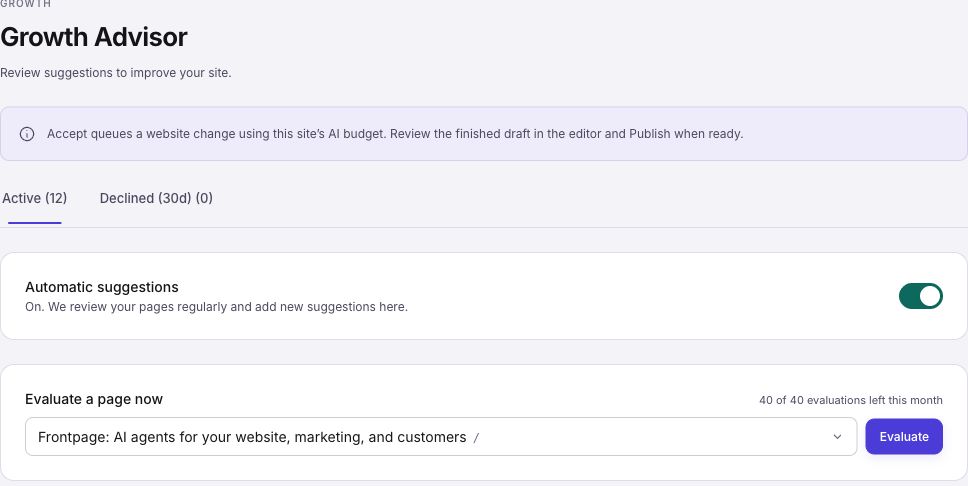
Choose which changes to make
Use the controls to accept a suggestion or decline it. For the quote link, confirm the correct form or destination and supply any business facts the Agent needs. If the change does not fit, decline it. The Declined tab keeps those suggestions separate from your active list. Follow the Growth Advisor walkthrough for each action and status.
Review the ready site and check the result
After accepting a website edit, check the finished version before publishing it. Open the affected page on a phone, test the new quote link, and then publish when ready. Check how drafts and publishing work if the public page still shows the old version.
The available automatic schedule and on-demand checks depend on your plan. Look at the remaining allowance shown next to Evaluate a page now before starting another check. Learn what Autopilot does with live experiments if you are considering a separate workflow for automatic testing.
Frequently asked questions
Does Growth Advisor apply every suggestion automatically?
You choose which website suggestions to accept. Review the ready result and publish it when it is ready.
Can I ask for a check of one page?
Use Evaluate a page now when the control is available and your plan has allowance left.
Do plans have the same check frequency?
No. The cadence and on-demand allowance vary by plan. Check the Growth Advisor screen and your plan for the current limits.
Does a suggestion guarantee more enquiries?
No. Check the finished change and compare tracked results over useful time periods.