
Website Audit: Find practical ways to improve a website
Check a public website for practical issues, see which pages were covered, and decide what to fix first.
A service business notices that customers can find its contact page but often call to ask how to request a quote. A website audit can help the owner look for issues in the public experience. They can open the phone layout themselves, try the quote path, and choose a change based on both the report and what they see.
Start with the public website
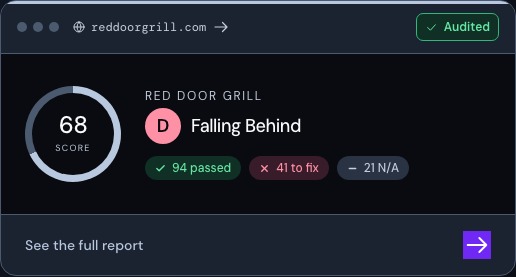
Enter a website address in the audit form. The audit checks what it can reach and groups the findings so you can see what passed, what needs attention, and what did not apply. Run an audit and read its coverage before comparing scores.
Look for a finding you can reproduce
If a contact option is hard to use on a phone, open the same page and try the task yourself. If the finding points to a missing title, check the public page’s actual title. Review how search titles and descriptions work for findings related to search.
Decide what to fix and check it again
Start with an issue that affects a customer trying to do something important. You might move the quote button, clarify where it leads, or simplify a form. Review a targeted edit in Canvas if the site is on Frontpage. After the change is live, check the same page and action again.
Frequently asked questions
Can I use the audit before moving a website?
Yes. Run it against the public address and keep the findings you want to check after the move.
Is the audit score a search ranking?
No. It summarizes checks the audit ran on the public site.
Can I see the full report without a paid plan?
Start on the public audit page. The flow can ask you to sign in or create a free account to open the full report.
Will an audit change the site automatically?
No. It gives you findings to review and act on.