
Your Frontpage workspace: Manage your website and business in one place
Use the Frontpage workspace to find your pages, check customer enquiries, and manage settings for the website you select.
Start at Overview
Select your site and open Overview. It is a starting point for the website and the work attached to it. For example, a shop owner can open Contact & lead forms to check a new enquiry, then use Pages to find the service page that sent it.
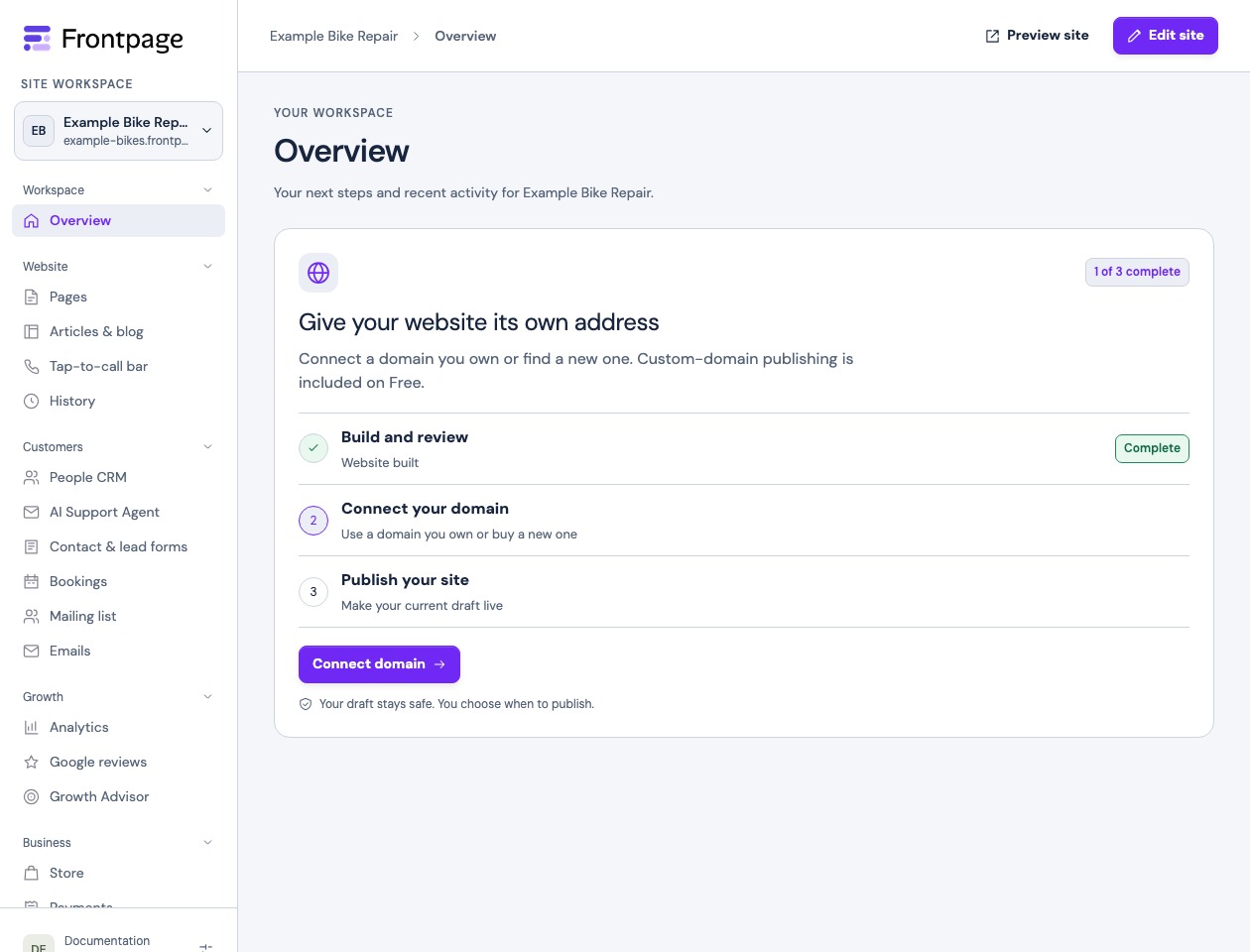
Find the tool for the job
- Website: Find pages, articles, and website history.
- Customers: Manage enquiries, bookings, mailing lists, and the customer tools available on your site.
- Growth: Review analytics, Google reviews, or suggestions from Growth Advisor.
- Business: Find Store, Payments, Routines, and Autopilot.
- Site settings: Find site preferences, brand, domains, integrations, team access, and usage.
Follow the setup guide for your first site or find the inbox for a specific form when you have an enquiry to answer.
Know when to use the editor
Choose Edit site to change the website itself. Review and publish a website edit before expecting customers to see it. For a setting such as the build model or usage alerts, open Site preferences for the selected site.
Frequently asked questions
Can I manage more than one website?
Yes. Use the site switcher and check the selected site before editing or changing settings.
Where do I find website visits?
Open Analytics under Growth. Select the site you want to check first.
Where do I find a form submission?
Open Contact & lead forms under Customers, then check the inbox for the form that received the message.
Does my teammate see the same options I do?
Available actions depend on the teammate’s role and the site’s features. Some settings are for site admins only.