
CRM connections: Send a copy of each form enquiry to your CRM
Keep enquiries in Frontpage and send a copy from selected forms to the CRM your team already uses.
A sales team receives quote requests through a website. Frontpage keeps each submission in the form inbox. The team can also send a copy to its existing CRM and follow up there. The owner chooses which forms should send copies.
Choose where enquiries go
The available destinations are HubSpot, Pipedrive, and Privyr. HubSpot receives a contact. Pipedrive receives a person and a linked lead when both steps succeed. Privyr receives an incoming lead. The destination’s setup and accepted fields differ. Connect a provider and enable it on a specific form.
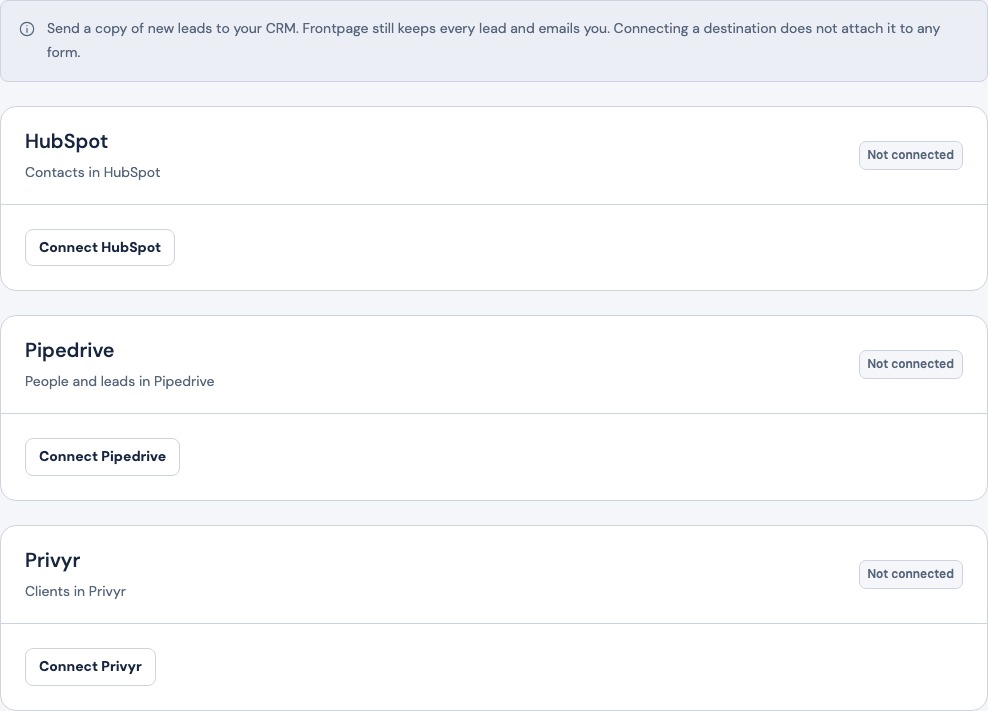
Keep one form’s routing separate from another
Turn on copies for the quote request form, for example, and leave the general contact form as it is. The original enquiries remain in Frontpage. The copy is separate from the form’s email and confirmation settings.

Check both records before relying on the connection
Send a marked test with details you control. Find the enquiry in Frontpage and check the destination record. If the copy fails, the saved enquiry remains available. Depending on where your team works, you can set up HubSpot contacts or verify a linked Pipedrive person and lead.
Frequently asked questions
Can a business keep its existing CRM?
Yes, when it uses a supported provider and a site admin connects that provider.
Can I stop copies for one form?
Yes. Turn off the destination on that form. Other forms can keep sending.
Does a CRM copy replace the inbox or email settings?
No. Frontpage retains the original, and the form’s notification settings remain separate.
Is this a two-way sync?
No. New submissions can create copies in a connected destination. Changes there do not flow back to Frontpage.