
How to send form enquiries to your CRM
Send a copy of new enquiries from a chosen Frontpage form to HubSpot, Pipedrive, or Privyr.
Use a site admin account and a form that already collects the contact details you need. If you have several forms, start with one. A repair business might send quote requests to its CRM while keeping general questions in the Frontpage inbox.
1. Connect a destination
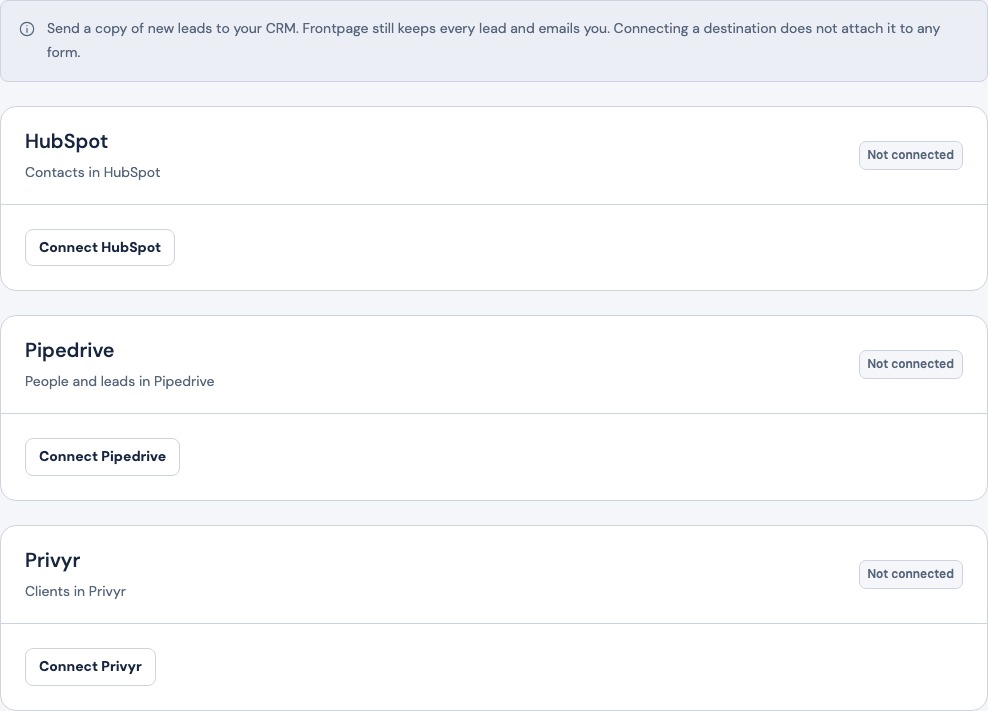
Open Contact & lead forms → Destinations. Choose the CRM and use its connection form. HubSpot takes a scoped access token, Pipedrive takes a personal API token, and Privyr takes an Incoming Webhook URL. Create a HubSpot key with contact write access, find the Pipedrive token and check the resulting records, or locate the Privyr Incoming Webhook URL.
Check for Connected. This saves the connection for the site. It does not enable copies for any form yet.
2. Choose which form sends a copy
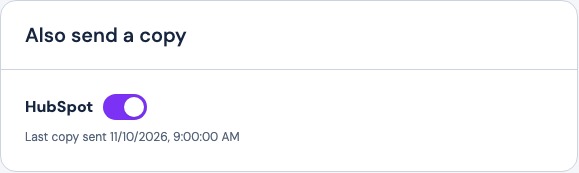
Return to Forms, open the form, and find Also send a copy. Turn on the switch for the connected provider. Check the form name and the provider before leaving the page. Repeat this choice only on forms that need to send copies.
Frontpage maps common contact fields from the form. The connection does not provide a custom field mapping editor, and different providers accept different fields. Use distinct, conventional labels for name, email, and phone. If the form needs new fields, update the form through the site editor and publish the reviewed page.
3. Check the first delivery in both places
Submit one clearly marked test with details you control. Confirm that the original appears in the Frontpage Inbox. Reopen the form settings and check for Last copy sent or the last error. Open the destination and confirm that the expected fields arrived in the right account. A saved Frontpage enquiry can still have a failed CRM copy.
Stop copies or troubleshoot delivery
Turn off the provider on one form if other forms should keep sending. Remove the connection under Destinations to stop all forms from copying to that provider. If a copy fails, check the last error, the credential, and the switch on the form. Use a fresh marked test after correcting the problem. Inspect the provider first if there is any doubt about whether it already received the earlier test.
Frequently asked questions
Does the enquiry still appear in Frontpage?
Yes. Frontpage keeps the original even if the CRM copy fails.
Do CRM edits update the Frontpage message?
No. Copies go from Frontpage to the destination. Editing the destination record does not update the original.
Does connecting a CRM turn it on for every form?
No. A site admin enables a connected destination on each supported form that needs it.
Do past enquiries get copied when I turn it on?
The setting applies to new submissions. Keep using the Frontpage inbox for earlier enquiries.