
Site preferences: Keep your website settings up to date
Manage how a Frontpage site builds, who can open its Frontpage address, and which usage alerts reach your inbox.
Set preferences for the site you are working on
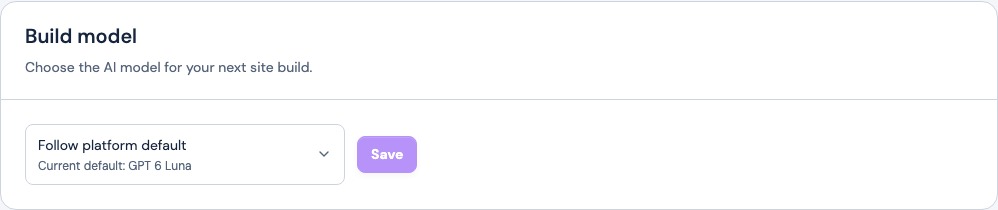
Open Site preferences in the workspace. Start with General to confirm the address and plan. If you manage several sites, use the site switcher first. An admin can use Build model to set the model for the next build or keep the platform default.
Change a preference and check it
For example, turn on Usage & limit alerts under Notifications to receive site usage updates. The switch saves when you change it. Return to the page to check that it stayed on. You can then review the site’s current usage without changing the plan.

Keep site and account details separate
Use the Site preferences walkthrough to find the controls and see when they apply. Use Brand & styles to update your business identity or Account settings to update your personal contact details.
Frequently asked questions
Does one preference change all of my Frontpage sites?
No. Site preferences applies to the selected site.
Can I follow Frontpage’s default build model?
Yes. Choose Follow platform default and save it. Future builds then use the platform’s current website default.
Can a site admin change who sees the Frontpage address?
For a site without a connected custom domain, an admin can use Subdomain visibility to set access to the staging address.
Where do I change my website logo?
Open Brand & styles in the workspace for the site you want to update.